Artificial intelligence is changing the way people use apps. From smart assistants and personalized recommendations to image recognition and automated workflows, AI can make an app more useful and responsive. But building one takes more than adding a chatbot to a normal mobile app.
So, how to develop an AI app?
The process starts by defining a clear problem, choosing the right AI technology, preparing the required data, designing the app, integrating an AI model, and testing it before launch. The right approach also depends on whether you use an existing AI API, customize a model, or build a model from scratch.
Want to know more about what it takes to turn an AI idea into a reliable product? Let’s break down the process step by step.
How to Develop an AI App – 10 Practical Steps
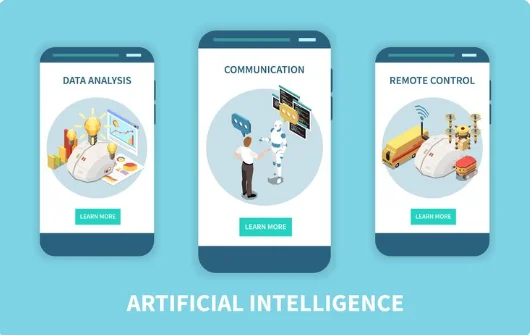
Have you ever wondered what actually happens between having an AI app idea and seeing a working product on your phone? The process involves much more than choosing an AI model and connecting an API.
A successful AI-powered app starts with a clear problem and moves through planning, data preparation, design, development, testing, and continuous improvement. Here are the key steps you need to follow.
1. Define the Problem and Target Users
Start by asking a simple question: What problem will the app solve? Avoid beginning with the technology. Instead, focus on what users need and where AI can make their experience easier, faster, or more useful.
For example, an AI fitness app could help users create personalized workout plans. An education app could explain difficult topics based on a student’s learning level. The AI feature should have a clear purpose rather than being added just because it is popular.
You should also identify your target users. Understanding their needs, technical comfort, and expectations will help you decide how the app should work and which AI features are actually useful.
2. Validate Whether AI Is Really Needed
Not every app needs artificial intelligence. Sometimes a simple rule-based feature can solve a problem faster and at a lower cost.
Before building anything, compare the problem with what AI can realistically do. Ask whether AI can improve personalization, automation, prediction, search, recommendations, image processing, language understanding, or another important part of the user experience.
This step can save both time and money. It is better to discover that you do not need an expensive AI system before development begins rather than after you have already built one.
3. Choose the Right AI Approach
Once you know what the app needs to do, you can decide how the AI will be built. You do not always need to train a model from scratch.
Many modern apps use existing AI APIs from providers such as OpenAI, Google, or Anthropic. This can be a practical choice when you need features such as text generation, summarization, translation, or conversational assistants.
For more specialized requirements, you may use an open-source model, fine-tune an existing model, or develop a custom machine learning model. The right option depends on your data, budget, performance requirements, privacy needs, and level of customization.
4. Plan Your Data and Knowledge Sources
Data is one of the most important parts of an AI-powered application. The quality of the information available to your system can directly affect the quality of its results.
First, identify what information the app needs. This could include customer records, product information, documents, images, conversations, sensor data, or other sources.
You also need to consider where the data will come from and how it will be stored. Poor-quality, outdated, duplicated, or incorrectly labeled data can create unreliable results, so data preparation should not be treated as an afterthought.
5. Design the AI Architecture
Now it is time to think about how all the pieces of the app will work together. The architecture may include the mobile or web interface, backend, database, AI model, APIs, authentication, and third-party services.
For example, when a user sends a question, the app may send it to the backend. The backend can check the user’s permissions, retrieve relevant information, send the required context to the AI model, and then return the response to the app.
This structure needs to be planned carefully. A good architecture makes it easier to improve the app later, handle more users, control costs, and protect sensitive information.
6. Design the User Experience Around AI
Have you ever used an AI feature that technically worked but still felt frustrating? This often happens when the AI is designed separately from the user experience.
Users should understand what the AI feature does, what information it needs, and what they can expect from it. For example, a chatbot should clearly show when it is processing a request and provide useful ways to correct or refine an answer.
You should also design for mistakes. AI can produce incorrect or unexpected results. Giving users options to edit, retry, provide feedback, or contact a human can make the overall experience much safer and more useful.
7. Build the App and Integrate the AI
Once the product structure is ready, development can begin. This usually involves building the frontend, backend, database, APIs, authentication, and AI functionality.
The AI should be integrated into the actual workflow instead of existing as an isolated feature. For example, a shopping app could use AI to recommend products based on user behavior, while a business app could use AI to summarize internal documents.
At this stage, developers also need to think about response speed and reliability. A feature that takes too long to respond can make users abandon the app, even if the AI itself produces excellent results.
8. Add Security and Privacy Controls
AI apps can process large amounts of user information, which makes security an important part of the development process.
Sensitive information should be protected throughout the system. This includes secure authentication, access controls, encrypted communication, safe API handling, and appropriate data storage practices.
You should also understand what happens to information sent to external AI services. Depending on the app and industry, there may be legal, regulatory, or contractual requirements around storing and processing user data.
9. Test the AI and the App Together
Testing an AI app is different from testing a traditional app. You are not only checking whether buttons work. You also need to check whether the AI produces useful, safe, and consistent results.
Developers can test common user requests as well as unusual or difficult situations. They should also check how the system behaves when information is missing, the AI gives an uncertain answer, an API becomes unavailable, or the user enters unexpected information.
Performance, security, usability, and AI accuracy should all be tested before launch. Real users can also help identify problems that may not appear during internal testing.
10. Deploy, Monitor, and Keep Improving
Launching the app is not the final step. AI systems need ongoing monitoring because user behavior, data, models, APIs, and business requirements can change over time.
After launch, track important metrics such as response time, user engagement, error rates, AI feedback, API usage, and operating costs. These numbers can show where the app is performing well and where improvements are needed.
You may also need to update prompts, improve your data, change models, adjust workflows, or introduce new features. Continuous improvement is what turns an AI prototype into a product that can remain useful as it grows.
Existing Relevant Contents:
How Do I Choose Between Native And Cross-Platform App Development?
How To Develop An Educational App?
How to Develop a Social Media App?
What Determines the Cost and Complexity of AI App Development

Not every AI app needs the same technology or development effort. A simple AI writing assistant and a computer-vision healthcare platform can have completely different architectures, data needs, and testing requirements.
So, what makes one AI app simple while another becomes a large and expensive software project? The following factors play a major role.
1. Type of AI App
The first factor is the type of AI application you want to build. AI is not one single technology. It can be used for language, images, recommendations, predictions, automation, voice, and many other tasks.
For example, a chatbot may rely on a large language model, while an image-editing app may need computer vision. A financial forecasting app may require machine learning models trained on historical data. Common types of AI apps include:
- AI chatbot apps
- AI writing assistants
- Image-generation apps
- Image-editing apps
- Voice assistant apps
- Recommendation platforms
- Predictive analytics apps
- AI search applications
- Document-processing apps
- Computer-vision applications
The type of AI determines the technology stack, data requirements, integrations, and testing process. This is why the first step should always be defining the problem instead of choosing a model.
2. AI Model Selection
Choosing the right AI model can have a major effect on both development time and ongoing costs. Businesses do not always need to train their own model from scratch.
For many applications, developers can connect an existing model through an API. This can help a business launch faster because the AI infrastructure has already been built and trained. Depending on the use case, you may use:
- Large language models
- Machine learning models
- Computer-vision models
- Speech-to-text models
- Text-to-speech models
- Recommendation models
- Embedding models
- Multimodal models
- Fine-tuned models
- Custom-trained models
The best option depends on what the app needs to do. A ready-made model may be enough for a general chatbot, while a specialized business application may need custom data, retrieval systems, fine-tuning, or another form of model customization.
3. Data Requirements
Data is one of the most important parts of an AI application. The quality of the information available to the system can directly affect the quality of its results.
Some AI apps can work mainly with a third-party model API. Others need large amounts of company-specific or user-generated data to provide useful results. Depending on the application, data may come from:
- Company databases
- Documents
- Customer records
- Product catalogs
- Images
- Audio files
- Videos
- Sensor data
- User activity
- Public datasets
The data must also be cleaned, structured, stored, and protected. If an AI system uses poor or outdated information, even an advanced model may produce poor results.
4. AI Feature Complexity
Adding one AI feature is very different from making AI the core of the entire product. A normal shopping app with an AI recommendation feature may be relatively straightforward.
On the other hand, an application built around AI agents, real-time predictions, personalized recommendations, or complex automation needs more backend logic and testing. Simple AI features may include:
- Smart search
- Text summarization
- Basic chatbot support
- Product recommendations
- Text generation
More advanced features can include:
- AI agents
- Real-time personalization
- Predictive analytics
- Computer vision
- Voice conversations
- Automated decision support
- Multimodal AI
- AI-powered workflow automation
The more decisions an AI system makes, the more carefully it must be tested. This is especially important when incorrect results could affect money, health, safety, or other sensitive areas.
5. App Platform and Device Support
Another factor is where users will access your AI application. You may want to launch on iOS, Android, web, or several platforms at once.
Each platform has different technical requirements. Mobile apps also need to consider device performance, permissions, notifications, offline behavior, and operating-system updates. Possible options include:
- iOS
- Android
- Web
- Cross-platform mobile apps
- Progressive web apps
- Tablets
- Desktop applications
- Wearable devices
Cross-platform development can help businesses reach multiple platforms with a shared codebase. However, some AI applications may benefit from native development when they rely heavily on device hardware or performance.
6. Backend and API Integrations
An AI model is only one part of the application. The backend connects the AI system with users, databases, authentication, payments, business logic, and other services.
For example, an AI shopping assistant may need access to product information, customer accounts, inventory, order history, and payment systems. Common integrations include:
- AI model APIs
- Payment gateways
- Authentication services
- Cloud storage
- CRM systems
- Business databases
- Analytics tools
- Maps
- Email and messaging services
- Third-party APIs
More integrations usually mean more development and testing. Each external service can also introduce its own limits, costs, security requirements, and maintenance needs.
7. User Interface and User Experience
AI does not remove the need for good design. In fact, AI can make UX more challenging because users need to understand what the system can do and what its responses mean.
A chatbot, for example, needs more than a text box. Users should know what they can ask, what information the AI can access, and what happens when the system is uncertain. A strong AI interface may include:
- Clear prompts
- Suggested actions
- Loading states
- Response editing
- Feedback buttons
- Conversation history
- Error messages
- Confidence indicators
- Human support options
- Clear privacy controls
Good UX also helps users understand that AI can make mistakes. The goal is not to make the AI look perfect. It is to make the experience useful, clear, and trustworthy.
8. Security and Privacy
AI apps often process sensitive information. That makes security a core part of development rather than something added after launch.
The risks can vary depending on the type of data and AI system. User prompts, uploaded documents, personal information, business data, and model outputs may all require protection. Important security areas include:
- Secure authentication
- Role-based access
- Data encryption
- Secure API connections
- Access control
- Data retention policies
- Secure cloud infrastructure
- Monitoring
- Audit logs
- Protection against prompt-based attacks
Security requirements can become even stricter when an app operates in areas such as healthcare, finance, education, or enterprise software.
9. Testing and AI Accuracy
Traditional software testing checks whether a system behaves as expected. AI applications need additional testing because their outputs can vary.
A chatbot may provide different answers to similar prompts. A recommendation engine may rank items differently as user behavior changes. A vision model may perform well on some images but poorly on others. AI testing can include:
- Functional testing
- Model accuracy testing
- Prompt testing
- Performance testing
- Security testing
- Bias testing
- Data-quality testing
- Edge-case testing
- User acceptance testing
- Continuous monitoring
This is one reason AI development does not end when the app is published. Models, data, APIs, and user behavior can all change over time.
10. Scalability and Ongoing AI Costs
An AI app may work perfectly with 100 users but behave very differently with 100,000 users. More users mean more requests, more data, and potentially higher infrastructure and AI API costs.
AI applications may need scalable cloud infrastructure, caching, databases, queues, monitoring systems, and usage controls. You may also need to manage:
- AI API usage
- Cloud computing
- Database costs
- Data storage
- Model hosting
- Monitoring
- Security
- Model updates
- Technical maintenance
- Customer support
This is why AI app development should be planned with the future in mind. A scalable architecture can make it easier to add users and features without rebuilding the entire application.
Why Businesses Are Investing in AI Apps

AI is no longer limited to experimental projects. Businesses are using it across marketing, product development, service operations, software engineering, and other functions.
This creates an important opportunity for businesses. Instead of adding AI simply because it is popular, companies can use it to solve specific problems, reduce manual work, improve personalization, or create new services.
The strongest AI apps usually start with a clear user need. The technology then supports that need rather than becoming the entire reason for building the product.
What AI Technologies Can You Use in an App

The AI technology you choose should depend on the problem you are solving. There is no single model or technology that works best for every application.
Here are some of the most common options businesses consider when planning an AI-powered product:
1. Natural Language Processing
Natural Language Processing, or NLP, helps applications understand and work with human language. It can be used for chatbots, translation, text classification, summarization, sentiment analysis, and voice-based interactions.
For example, a customer support app can use NLP to understand a customer’s question and provide a relevant response. More advanced systems can also use company documents or databases to provide context.
2. Machine Learning
Machine learning allows an application to identify patterns in data and use them to make predictions or decisions. It can support features such as fraud detection, demand forecasting, customer segmentation, recommendation systems, and personalized experiences.
3. Computer Vision
Computer vision allows software to understand images and video. It can be useful for applications involving object detection, facial recognition, document scanning, image classification, or visual inspection. For example, an app could allow users to upload an image and automatically identify a particular object or extract information from a document.
4. Generative AI
Generative AI can create new content based on user instructions or existing information. Text, images, audio, code, and other types of content can be generated depending on the model. This makes it useful for AI assistants, content tools, creative applications, productivity software, and personalized experiences.
5. Recommendation Systems
Recommendation technology helps an app suggest products, content, services, or actions that may be relevant to each user. Streaming platforms, online stores, news apps, and social platforms commonly use recommendation systems to personalize what users see.
How Long Does It Take to Build an AI App

There is no single timeline for building an AI app. The duration depends on the number of features, platform, integrations, data requirements, AI model, security needs, and level of customization.
A simple MVP using an existing AI API may be built relatively quickly because the development team does not have to create and train a large model from scratch.
A more advanced product can take considerably longer. Custom models, large datasets, complex integrations, real-time processing, strict security requirements, and extensive testing can all increase the timeline.
This is why it is useful to divide development into stages. Start with the smallest version that can prove the main idea, collect feedback, and then expand the product based on what users actually need.
How Much Does It Cost to Build an AI App

One of the first questions businesses ask is, “How much does it cost to build an AI app?”
The answer depends on what you are building, how much AI is involved, the technology you choose, and how complex the final product needs to be.
Current 2026 estimates show a wide range. A basic AI feature or prototype may cost around $15,000-$25,000, while a production-ready application can reach $40,000-$100,000. Enterprise-grade products with custom models, advanced integrations, and compliance needs can cost $100,000-$250,000 or more. These are industry estimates, not fixed prices.
The biggest mistake is looking only at the initial development cost. AI apps can also have ongoing expenses for model usage, cloud infrastructure, data storage, monitoring, maintenance, and future improvements.
What Affects the Cost of an AI App?
The final budget can change significantly based on a few major factors:
- App complexity: A simple chatbot costs less than a complete AI platform.
- AI model: Existing APIs are generally less expensive than developing a custom model.
- Data: Collecting, cleaning, labeling, and managing data can require significant work.
- Platform: Building for iOS, Android, web, or multiple platforms changes the workload.
- Integrations: Payment systems, CRMs, databases, APIs, and other services add development time.
- Security: Sensitive information may require additional security controls and compliance work.
- User volume: More users can increase hosting and AI inference costs.
- Maintenance: Models, APIs, software dependencies, and security requirements need ongoing updates.
This is why two apps that both use generative AI can have completely different budgets. The AI model is only one part of the overall product.
Existing Relevant Contents:
How Much Does It Cost to Develop a Banking App?
How Hybrid App Development Can Reduce Costs?
How Much Does It Cost to Develop a Church App?
How Much is Healthcare App Development Cost?
How Can You Reduce AI App Development Costs

You do not necessarily need to spend hundreds of thousands of dollars to test an AI idea. In many cases, the smarter approach is to start small and expand after you have evidence that users want the product.
A. Start With an MVP
An MVP, or minimum viable product, includes only the features needed to test the main idea. Instead of building ten AI features at once, focus on the one that solves the most important user problem.
This reduces development time and gives you something real to test. User feedback can then guide the next version instead of spending money on features nobody uses.
B. Use Existing AI Models
Training a large AI model from scratch is rarely necessary for a first version. Existing models and APIs can provide powerful capabilities without requiring you to build the entire AI infrastructure yourself.
You can consider custom models later if your product develops unique data, specialized requirements, or performance needs that existing models cannot handle effectively.
C. Choose the Right Platform
If your users need both iOS and Android, cross-platform development can sometimes reduce duplicated development work. Technologies such as Flutter and React Native can help teams build applications for multiple platforms from a shared codebase.
However, the cheapest option is not always the best option. Your platform decision should depend on performance, device features, user expectations, and long-term maintenance.
D. Plan the Architecture Before Coding
Poor planning can become expensive later. Changing the database, backend, AI workflow, or app structure after launch can require significant redevelopment.
A clear technical plan helps the development team identify risks early. It also makes it easier to estimate the project and avoid unnecessary features.
8 Common Mistakes to Avoid When Building an AI App

Have you ever wondered why some AI apps look impressive during a demo but struggle when real users start using them? The problem is often not the AI model itself. It is usually the planning, product design, data, or engineering around it. Here are some common mistakes worth avoiding.
1. Adding AI Just for the Sake of AI
AI should solve a meaningful problem. Adding a chatbot to an app does not automatically make the product innovative. Start with the user’s problem and then decide whether AI is the right solution. This keeps the product useful rather than turning AI into a marketing feature.
2. Ignoring Data Quality
An AI system can only work with the information and context available to it. Poor or outdated data can lead to poor results. Before development, determine what data you have, what data you need, and how it will be maintained. This is especially important for recommendation, prediction, and knowledge-based applications.
3. Forgetting About AI Costs After Launch
A product can be affordable to build but expensive to operate. Every user interaction with an external model can contribute to usage costs. As your user base grows, you should monitor model usage and consider techniques such as caching, smaller models for simpler tasks, or better prompt design where appropriate.
4. Treating AI Responses as Always Correct
AI systems can make mistakes. A confident answer is not necessarily a correct answer. For applications where accuracy matters, build safeguards into the product. Depending on the use case, this can include source references, confidence indicators, human review, validation rules, or fallback options.
5. Underestimating Security
AI applications can process personal information, business documents, conversations, images, and other sensitive data. Security should be considered from the architecture stage. Access controls, authentication, secure APIs, data protection, and appropriate storage practices should be part of the product rather than last-minute additions.
6. Designing the AI Before Designing the User Experience
A powerful model cannot fix a confusing interface. Users need to understand what the AI does and how to interact with it. Simple prompts, clear feedback, useful error messages, and easy ways to correct an AI result can make a major difference.
7. Building Too Many Features at Once
It is tempting to add chat, recommendations, image generation, voice commands, analytics, automation, and personalization to the first version. This can make the project expensive and difficult to manage. A focused first release gives you a better chance of learning what users actually value.
8. Forgetting About Maintenance
AI technology changes quickly. Models get updated, APIs change, security threats evolve, and user expectations increase. Your development plan should therefore include maintenance from the beginning. Regular updates can keep the application secure, stable, and competitive.
How Do You Choose the Right AI Development Team?

Choosing a development partner is about more than finding someone who knows how to connect an AI API. You need a team that understands the complete product.
Look for experience in UI/UX design, backend development, APIs, databases, mobile or web development, security, testing, and cloud infrastructure. AI is only one layer of the application.
It is also useful to ask potential developers how they approach discovery, data, model selection, testing, scalability, and post-launch support. A team that can explain these areas clearly is more likely to understand the real challenges of your project.
Transparency matters too. Ask how the team estimates costs, handles changes, communicates progress, and supports the product after launch.
How App-Concept can Help with AI App Development

By now, you should understand that creating an AI-powered app is not simply about connecting an AI model to a mobile interface. You need product strategy, UI/UX design, application development, backend systems, integrations, security, testing, and ongoing support.
This is where App-Concept can help. The company has delivered more than 100 customized solutions across industries including healthcare, finance, e-commerce, education, entertainment, travel, and social networking. Its services cover iOS, Android, web, and cross-platform applications.
App-Concept also has experience building AI-powered products. Its portfolio includes C-AR.APP, an AI-powered vehicle photo editing tool, Umfrage.ai, a machine-learning survey platform, Pitch2Match, an AI-based networking platform, and AI-powered recruitment products such as JobsNavi and SAJOKI.
By working with an experienced development team, you can get support with:
- Custom mobile app development
- Cross-platform and native app development
- User interface and user experience design
- Backend development and API integration
- AI feature integration
- Testing and quality assurance
- Security and data protection
- Maintenance and future updates
App-Concept follows a roadmap that moves through strategy, design, development, and support. Its process also includes discovery and planning before development, helping define requirements, choose technologies, and create a development roadmap.
The company also states that its pricing depends on the project requirements, goals, and budget, with a clear quote provided before development. This can make the early planning stage easier when you are trying to understand what your project will actually require.
Frequently Asked Questions
Can I build an AI app without training my own AI model?
Yes. Many applications can use existing AI models through APIs. This can be a practical starting point for chatbots, content generation, summarization, image analysis, and similar features.
A custom model becomes more relevant when you have specialized requirements, proprietary data, or a need for greater control over the model’s behavior and performance.
Does an AI app need a database?
Not always, but many useful AI applications benefit from one. A database can store user accounts, preferences, application data, conversation history, documents, or other information needed by the product.
The requirement depends on what the app does and whether the AI needs access to persistent information.
Can AI apps work offline?
Some AI features can work offline if the required model is stored and executed on the device. However, large or advanced models often require cloud infrastructure.
Offline functionality can be useful when users have limited connectivity or when certain data should remain on the device. The right approach depends on the application’s requirements.
How do I know if my AI app idea is worth building?
Start by identifying the problem and speaking with potential users. Find out how they currently solve it, what frustrates them, and whether they would actually use a better solution. A small prototype or MVP can then help validate the idea before you invest heavily in development.
Final Thought
Building an AI application starts with a problem, not a model. Once you understand your users and validate the idea, you can choose the right AI approach, prepare your data, design the experience, build the application, secure it, test it, and monitor it after launch.
The right AI app development strategy can help you turn a promising idea into a reliable product without wasting resources on unnecessary features. With the right strategy, technology, development team, and long-term plan, your AI idea can become a useful product that continues to improve as your users and business grow.